



Http vs https: An “s” Can Save You!

Course Author:Skilla
Course Duration:42

AL: Did I do the right thing? I wanted to buy some gym equipment from an e-commerce website, I was about to register, when I noticed something strange in the address bar… PT: The triangular icon with an exclamation mark? AL: Yes! Something like that, I can’t really remember… But the message next to it said: “Not secure”! So I gave up and did nothing else… PT: You did the right thing, do you know why? PT: When you visit a website, you use a browser.
To allow you to access the website contents, the browser receives and transmits data, i.e. it communicates with another server, called web server, which is also connected to the Internet. However, as this communication occurs, you must be careful. If the communication is not encrypted, problems may arise! AL: Encrypted in the sense of hidden? PT: Precisely! If the communication is encrypted, nobody else can read it, but if it is “not-encrypted”, it is easy to intercept and can be read as plaintext! This is why the browser warns you with symbols and messages, such as “Not secure”, as if it were saying: “Make sure you do not enter important data, because that data can be easily captured by criminals”! So be very careful, especially when you browse the Internet using a public or unprotected Wi-Fi network. AL: Well, I think I will need intense training to become an expert in safe browsing! PT: That’s the spirit! With this training, you will be able to tell a secure website from a not-secure one, you will discover which symbols alert you to possible dangers and the difference between an HTTP and HTTPS web address. Don’t be fooled, learn to recognise the Internet’s risks.
Languages:British English

This course is just one part of what you can access through My eLearning Hub.

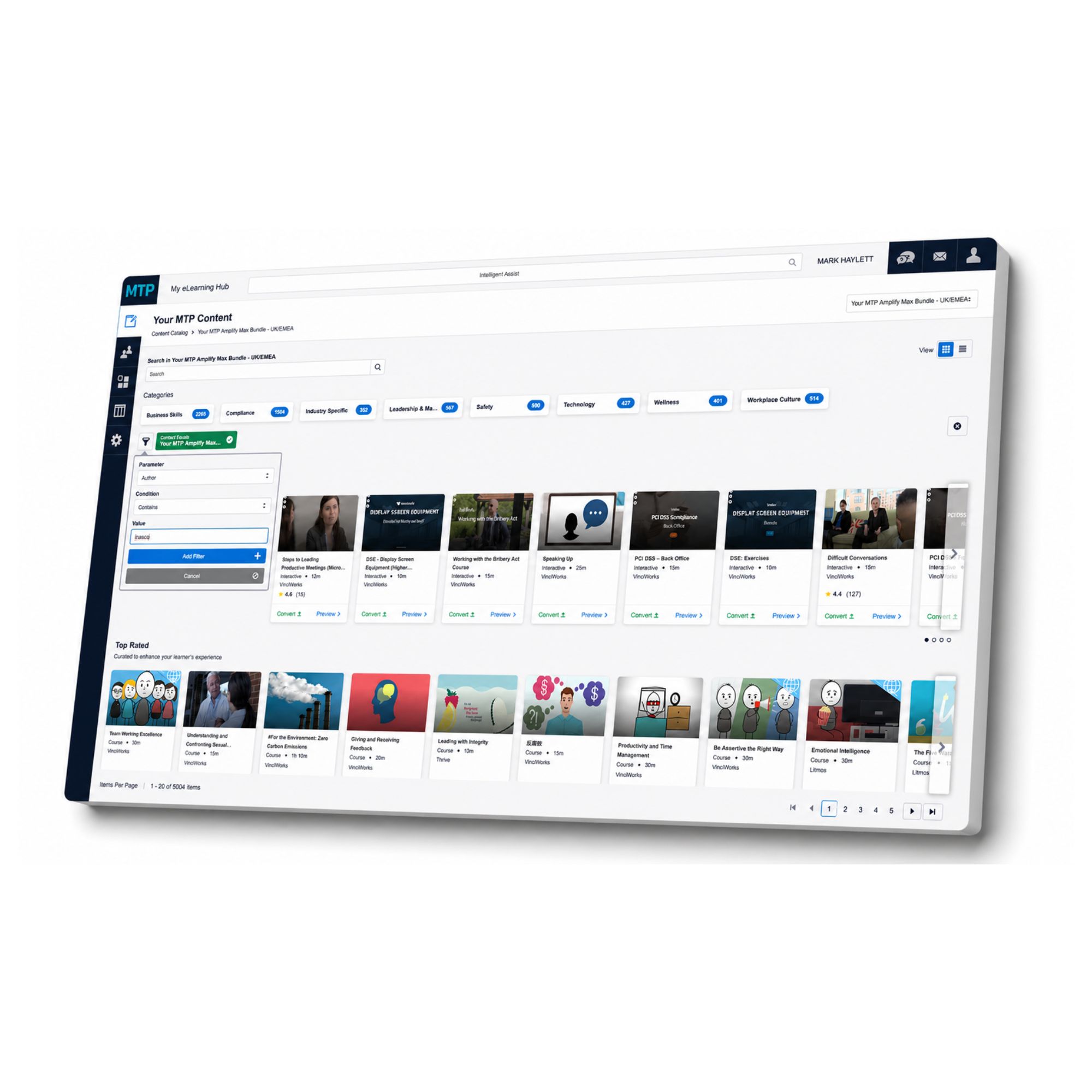
With more than 5,000 online courses available, your organisation can build a training library that supports compliance, personal development, leadership, health and safety, wellbeing, workplace skills and much more.

Instead of trying to manage training through scattered spreadsheets, email reminders and disconnected platforms, My eLearning Hub gives you one place to assign courses, track progress and see who has completed what.

Managers can support their teams with relevant learning. Compliance leads can keep evidence in one place. HR teams can give people easier access to the development they need. And learners can complete courses at a time and pace that works for them.

Whether you need one course, a full training pathway or a wider eLearning solution for your workforce, My eLearning Hub gives you the structure to manage it properly.

Speak to us about this course and find out how My eLearning Hub can support your organisation with access to over 5,000 courses.

One system for learning, compliance and control

My eLearning Hub gives medium and large organisations a practical way to manage learning at scale. It brings together:

Course delivery AI course creation Internal course uploads Video learning SCORM support Course libraries Learner tracking Manager control Role based access Resource libraries Completion evidence Compliance visibility

My eLearning Hub supports SCORM and existing content, so you can plug everything into one system without rebuilding, and gain instant control, visibility and tracking.