Have you ever needed to work on your documents at the same time as other people? Have you ever wanted to have one place where you can securely store your personal files? Do you want to be able to access your documents from multiple devices, even when you are offline, and ensure they are always up-to-date? In this course, you will discover the features, benefits and operations for helping you use OneDrive for Business. You will learn how to upload files, save them, open them in Microsoft apps, and share them with other users. You will also learn how to manage the same file from different devices and have the option of working on them anywhere.
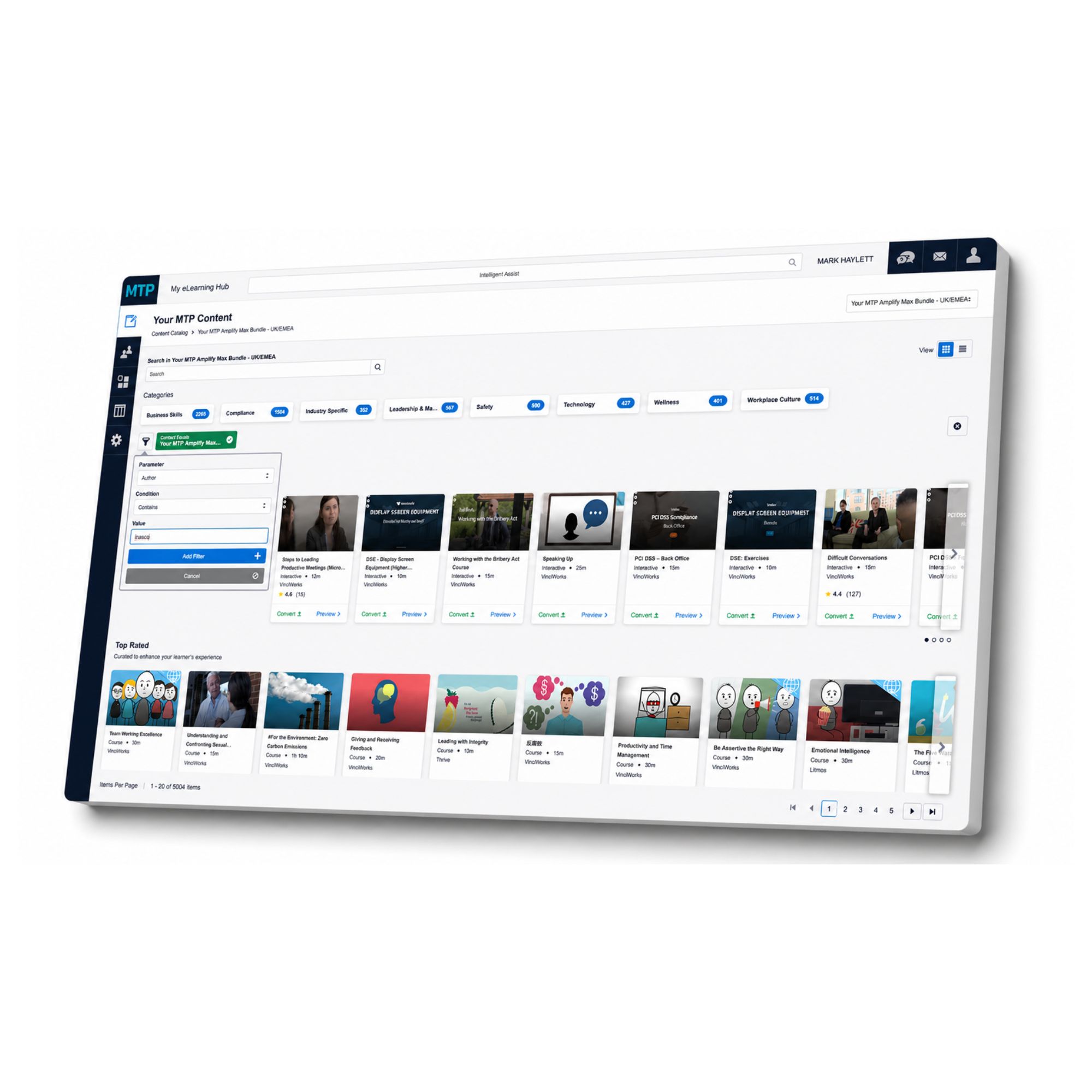
This course is just one part of what you can access through My eLearning Hub.
With more than 5,000 online courses available, your organisation can build a training library that supports compliance, personal development, leadership, health and safety, wellbeing, workplace skills and much more.
Instead of trying to manage training through scattered spreadsheets, email reminders and disconnected platforms, My eLearning Hub gives you one place to assign courses, track progress and see who has completed what.
Managers can support their teams with relevant learning. Compliance leads can keep evidence in one place. HR teams can give people easier access to the development they need. And learners can complete courses at a time and pace that works for them.
Whether you need one course, a full training pathway or a wider eLearning solution for your workforce, My eLearning Hub gives you the structure to manage it properly.
Speak to us about this course and find out how My eLearning Hub can support your organisation with access to over 5,000 courses.