





One careless click can open the door to a serious business problem.
It does not always take a complex cyber attack to cause damage. Sometimes it starts with a rushed email, a weak password, a fake login page, a lost phone, or a document sent to the wrong person. Small actions can create big risks when people do not know what to look for, what to avoid, or how to respond.
For team leaders, supervisors, managers, directors, ceos, mds and business owners, staying safe online is now part of looking after your people and protecting the organisation. It is not only an IT issue. It is a people issue, a training issue, a leadership issue and a trust issue.

Your staff use emails, phones, laptops, cloud systems, files, messages, apps, online portals and shared documents every day. Some may work from home. Some may use personal devices. Some may deal with customers, suppliers, contractors, payments, records or confidential information. Every one of those touchpoints creates a risk if people are not trained properly.
The aim is not to scare people. Fear does not build a safer workplace. Clear training does.
People need to understand how cyber risks appear in real working life. They need to know how criminals use pressure, trust, speed and confusion to get inside a business. They need to know how to protect accounts, handle data, use devices safely and report problems quickly.
A safer online workplace is not built by one policy sitting in a folder. It is built through everyday habits. It is built when people pause before clicking. It is built when managers set clear expectations. It is built when staff feel safe enough to report a mistake before it becomes a serious incident.
Most cyber attacks do not start with someone breaking through a system by force. They start with a person being tricked.
That person may be tired. They may be busy. They may be trying to clear their inbox before a meeting. They may see an invoice that looks real, a message that seems urgent, or a login page that looks almost the same as the one they normally use.
This is why cyber awareness matters for every member of staff, not just the IT team.
Phishing emails, scam messages, fake links, social engineering, suspicious attachments and fake login pages are common ways criminals try to get access to a business. They are designed to look normal. They are designed to make people act quickly. They often use pressure, fear, curiosity or authority to push someone into making a decision before they have had time to think.
For managers and business leaders, the key lesson is simple. You cannot expect people to spot threats they have never been trained to recognise.
Staff need to understand the warning signs. Is the sender address slightly wrong? Is the message asking for urgent payment? Is there a strange attachment? Is the link taking them somewhere unexpected? Is someone asking for login details, personal information or approval outside the normal process?
Good training helps people slow down. It gives them confidence to check before they click, ask before they act, and report anything that does not feel right.
This protects the business from fraud, data loss, account takeover and operational disruption. It also protects staff from being blamed for mistakes that could have been prevented with better knowledge.
Useful course areas include phishing awareness, social engineering awareness, scam emails and suspicious links, business email compromise awareness, and cyber security for employees.
Good training helps people slow down. It gives them confidence to check before they click, ask before they act, and report anything that does not feel right.
This protects the business from fraud, data loss, account takeover and operational disruption. It also protects staff from being blamed for mistakes that could have been prevented with better knowledge.
Useful course areas include phishing awareness, social engineering awareness, scam emails and suspicious links, business email compromise awareness, and cyber security for employees.
Watch for these warning signs
A company is only as secure as the access it gives away.
Every account is a doorway into the business. Email accounts, finance systems, HR platforms, cloud storage, learning platforms, customer databases and shared drives all carry risk if they are not protected properly.
Weak passwords, shared logins, reused passwords and old staff accounts can create serious security gaps. So can giving people access to systems they do not need.
This is where leaders need to set firm rules.
Passwords should be strong. They should not be shared. They should not be reused across personal and work accounts. Where possible, staff should use password managers so they are not trying to remember weak passwords or saving them in unsafe places.
Multi-factor authentication should be used wherever it is available. It adds an extra step when someone logs in, which can stop criminals getting access even if a password is stolen.
Access permissions also need proper control. People should only have access to the systems, files and data they need for their role. When someone changes job, their access should be reviewed. When someone leaves the business, their accounts should be closed quickly.
This is not about making work harder. It is about reducing risk.
For employees, this also helps protect their own identity, work record and personal information. A compromised account can create problems for the business, but it can also cause stress and confusion for the person whose login has been used.
Managers, supervisors and business owners should make account security part of normal working culture. It should be covered during onboarding, reinforced through training, and checked when roles change.
Useful course areas include password security, multi-factor authentication awareness, access control awareness, secure remote working, and account and login security.
Account security risks to watch for
Data is not “just files”.
Customer details, staff records, contracts, financial information, supplier details, passwords, internal documents and private emails are all business assets. If they are lost, shared badly, stored in the wrong place or sent to the wrong person, the damage can be serious.
Data protection is not only about rules. It is about respect, trust and control.
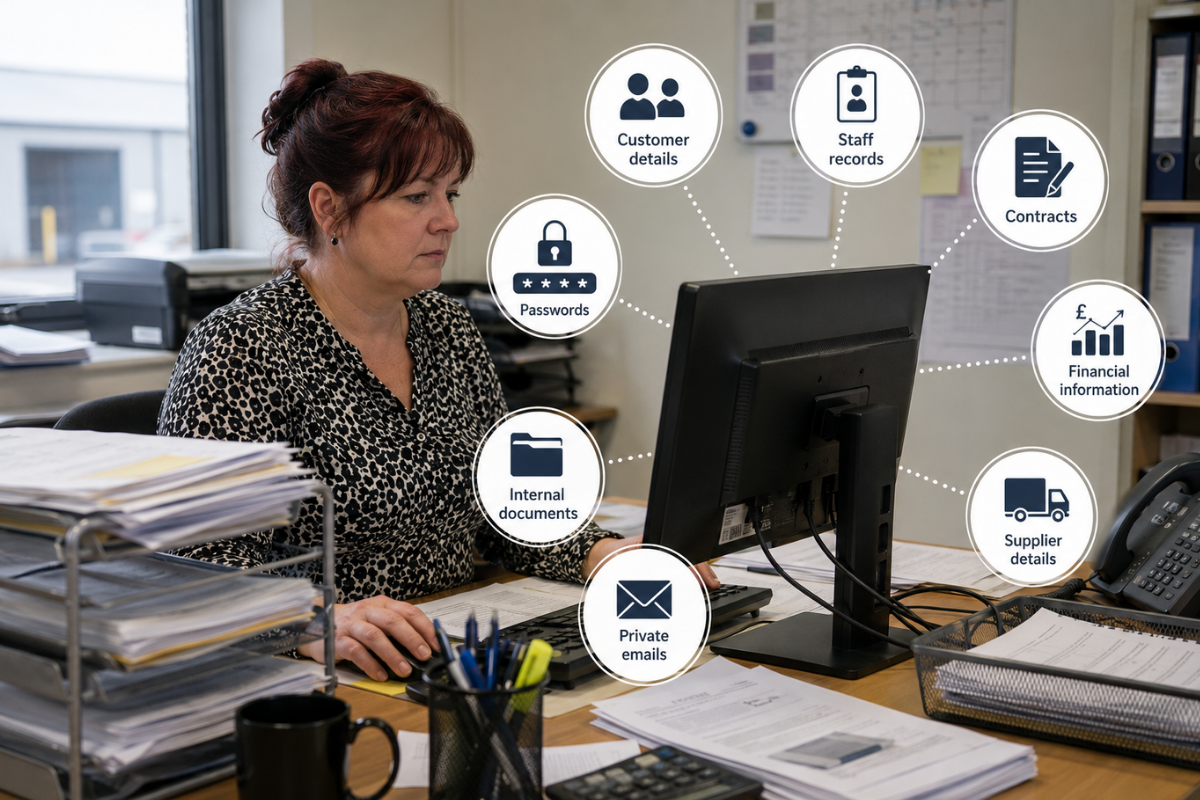
People need to understand what information they are handling, why it matters, and what could happen if it is exposed. This includes personal data, confidential business information, commercial documents, health records, payroll details, training records, reports and any information that should not be public.
For leaders, this means giving staff clear guidance. Where should documents be stored? What can be shared by email? What needs password protection? Who is allowed to access certain files? When should old documents be deleted? What should someone do if they send something to the wrong person?
Without clear training, people guess. Guessing is dangerous.
Staff should also understand the basics of GDPR, data protection, confidentiality and secure file sharing. They do not need to become legal experts, but they do need to know how their actions affect the business and the people whose data they handle.
A simple mistake can cause a data breach. A spreadsheet sent to the wrong supplier. A file saved to a personal device. A document attached to the wrong email. A customer record left visible on a shared screen. These are everyday risks, not rare events.
The goal is to build better habits. Check before sending. Use approved systems. Store files properly. Share only what is needed. Delete information when it should no longer be kept. Report mistakes quickly.
Useful course areas include GDPR awareness, data protection awareness, confidentiality at work, secure file sharing, and information handling and document control.
Modern work happens across many devices.
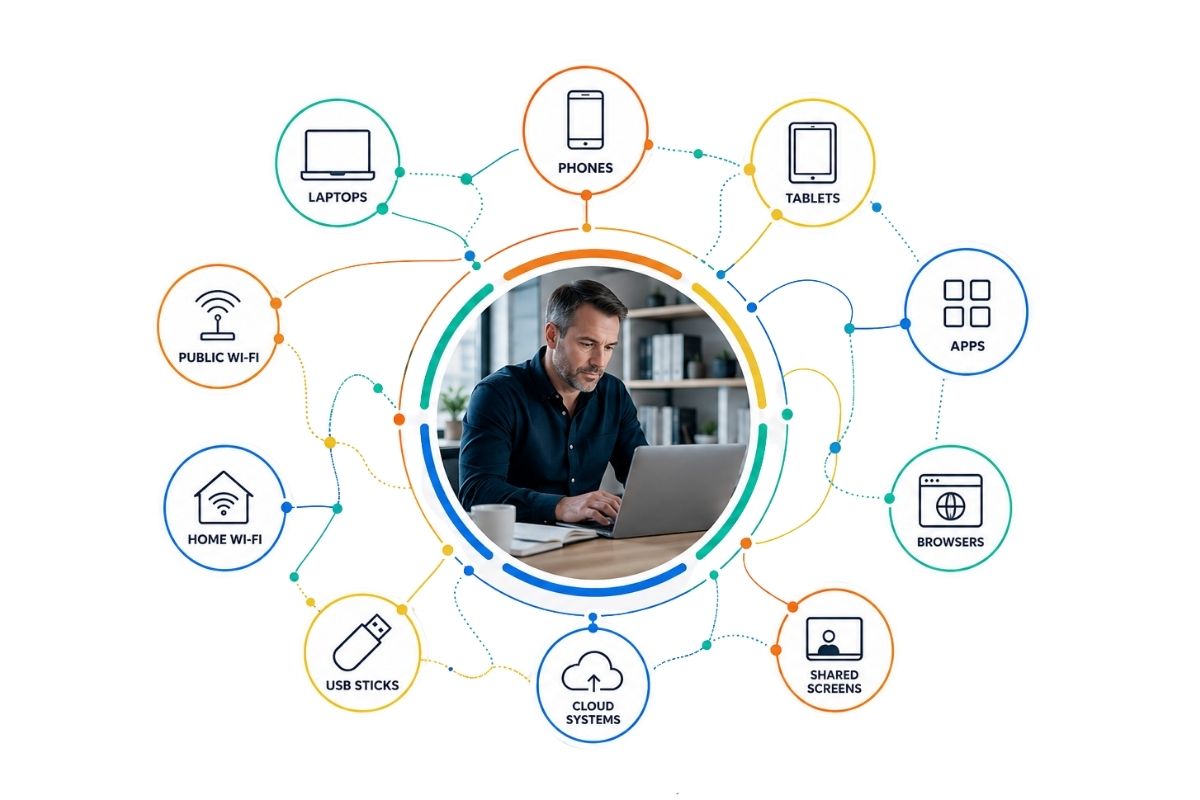
Laptops, phones, tablets, apps, browsers, shared screens, cloud systems, USB sticks, home Wi-Fi and public Wi-Fi are all part of how people work. That creates flexibility, but it also creates risk.
A device that is not updated can become vulnerable. A lost phone can expose work emails. A laptop left unlocked can reveal sensitive information. A personal device used for work can blur the line between private and business data. Unsafe browsing can lead to malware, scams or stolen details.
Managers and business owners need to make safe working habits clear and practical.
People should lock their screens when they step away. Devices should be updated when prompted. Work files should be stored in approved locations. Staff should avoid downloading unknown software. Public Wi-Fi should be used carefully. Work systems should not be accessed in ways that put information at risk.
Remote working also needs structure. Staff working from home still need to protect business data. They should understand how to use secure connections, keep devices safe, avoid sharing screens by mistake, and manage documents properly outside the office.
AI tools also need attention. Staff may use them to write, summarise, plan or speed up work. That can be useful, but people must understand what information can and cannot be entered into these tools. Sensitive customer data, private staff records, contracts, passwords or confidential business information should not be pasted into systems without clear approval.
The point is not to block people from using technology. The point is to use it safely.
Good device and software habits reduce the risk of malware, data leaks, unauthorised access and avoidable downtime. They also help staff feel more confident, because they know what good practice looks like.
The first mistake is not always the biggest problem. Silence can be worse.
If someone clicks a suspicious link, loses a device, shares data by accident, sees a strange login alert or receives a malware warning, fast reporting matters. The sooner the business knows, the sooner it can act.
Too many people stay quiet because they are embarrassed. They worry they will get into trouble. They hope nothing will happen. They close the message, ignore the warning or wait to see if the issue gets worse.
That delay can turn a small incident into a major problem.

Leaders need to create a culture where people report quickly, without fear. That does not mean ignoring responsibility. It means understanding that fast action protects everyone.
Staff should know exactly what to report, who to report it to, and what details to include. They should not have to guess. They should not have to search through old documents to find the right process. Reporting routes should be simple, visible and repeated through training.
Examples of issues to report include suspicious emails, accidental data sharing, lost phones or laptops, strange account activity, unexpected password reset emails, malware alerts, ransomware warnings, fake invoices, unusual payment requests and anything that feels wrong.
For managers, the business angle is clear. Fast reporting helps reduce damage, protect customers, support staff, meet legal duties, preserve evidence and show that the organisation takes cyber safety seriously.
For employees, it removes the pressure of trying to deal with a cyber issue alone. They do not need to fix everything themselves. They need to report it quickly so the right people can act.
Staying safe online is not about turning every employee into a cyber expert. It is about giving people the knowledge, habits and confidence to make safer decisions every day.
That starts with leadership.
Team leaders, supervisors, managers, directors, ceos, mds and business owners set the tone. If cyber safety is treated like a one-off tick box, staff will treat it the same way. If it is built into training, onboarding, conversations and everyday working standards, people take it more seriously.
The strongest workplaces are not the ones where nobody ever makes a mistake. They are the ones where people understand the risks, know what to do, and report problems before they spread.
Cyber safety is now part of workplace safety. It protects people, data, money, systems, customers, suppliers and trust. It helps stop avoidable mistakes. It gives managers better control. It gives staff clearer guidance. It helps the whole business work with more confidence.
A safer online workplace is built one habit at a time.
Pause before clicking. Protect accounts. Handle data properly. Keep devices secure. Report concerns quickly.
That is how businesses stop online risks becoming real-world damage.

Give your team the knowledge to spot risks, protect data and report problems before they become business-wide issues.